
How one local tool grew from "make me a nice intro video" into a story factory with a twenty-strong cast of talking characters, a self-healing painting queue and a rhythm game, all running on a graphics card with just 4 GB of memory.
The idea that kept growing
It started small. Intro Studio is a tool that runs on a normal Windows PC and makes short video intros: a logo reveal, a podcast opener, a celebration card. You open a dashboard in your browser, pick a style, press a button, and a few minutes later you have a finished video.
Then came a bigger question: what if you could describe a children's story in a couple of sentences, and the tool did everything else? Wrote the script. Painted every page. Read it aloud in a warm voice. Added gentle music and sound effects. Put talking characters on top. Checked its own work. And handed back a finished, watermarked video, a picture-book PDF, a colouring book and a set of vertical clips for social media.
That is what this project became. This article is the story of how it works, what went wrong, and what we learned. Everything described here runs locally on one machine, on a modest GTX 1650 SUPER graphics card with 4 GB of memory.
From a few words to a finished video
A story passes through a production line. The dashboard shows each stage, with a running estimate of how long it will take:
- Check the story. Is it the right length? Are the words kind? Is it written for small listeners? Does it repeat a line children can join in with?
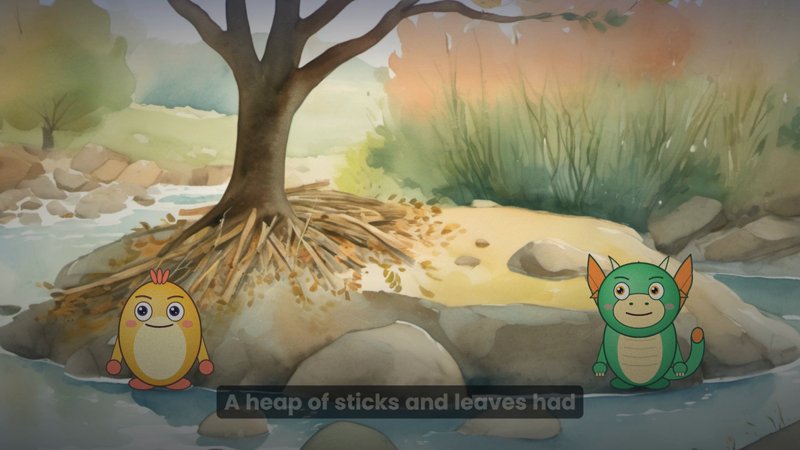
- Paint the pictures. One watercolour-style illustration per page, made by the Stable Diffusion XL image model running through ComfyUI.
- Read the story aloud. A local text-to-speech voice (Kokoro) narrates it.
- Time the words and plan the shots. Speech recognition (Whisper) finds exactly when each word is spoken, so captions and characters can follow along. Each page gets a camera move: a slow push in, a gentle pan.
- Make the music and the sound effects. A music model composes a lullaby or a march to suit the story; a sound model adds a splash, a chirp or a door.
- Draw the video. Every frame is rendered in a headless browser and encoded with FFmpeg.
- Watermark, captions and checks. A gentle drifting watermark goes on a copy (the clean video is kept), and automatic quality checks look for problems.
- Shorts, PDF, thumbnails and a publishing pack. Vertical clips, a printable picture book, a colouring book, an activity sheet and an audio edition.
Teaching it to write
You do not have to write the stories yourself. The Story Director takes a few sentences of description ("a shy hedgehog is afraid of the dark until a rocket becomes her night light") and writes a whole twelve- or sixteen-page story, in steps, using a language model that runs locally (or Claude, if you have an API key). It is then held to rules: a minimum and maximum number of words per page, a reading level suitable for young children, no repeated lines beyond a limit, and a check that it does not read like the other stories in the library. A story that fails is rejected and rewritten, not published.
Twenty characters, all drawn in code
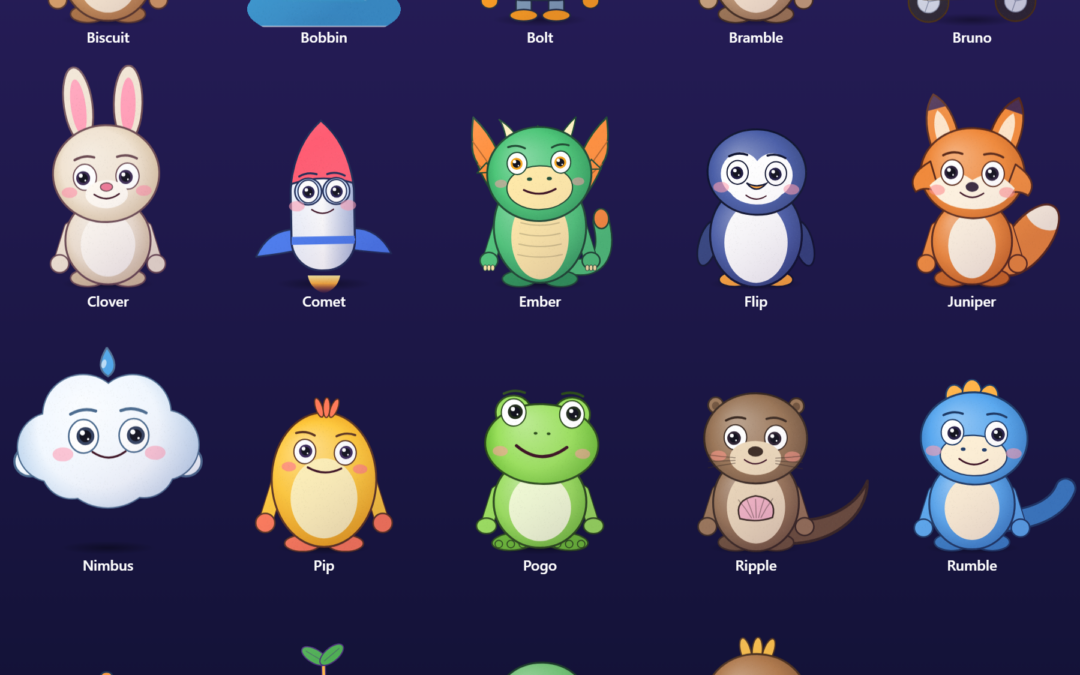
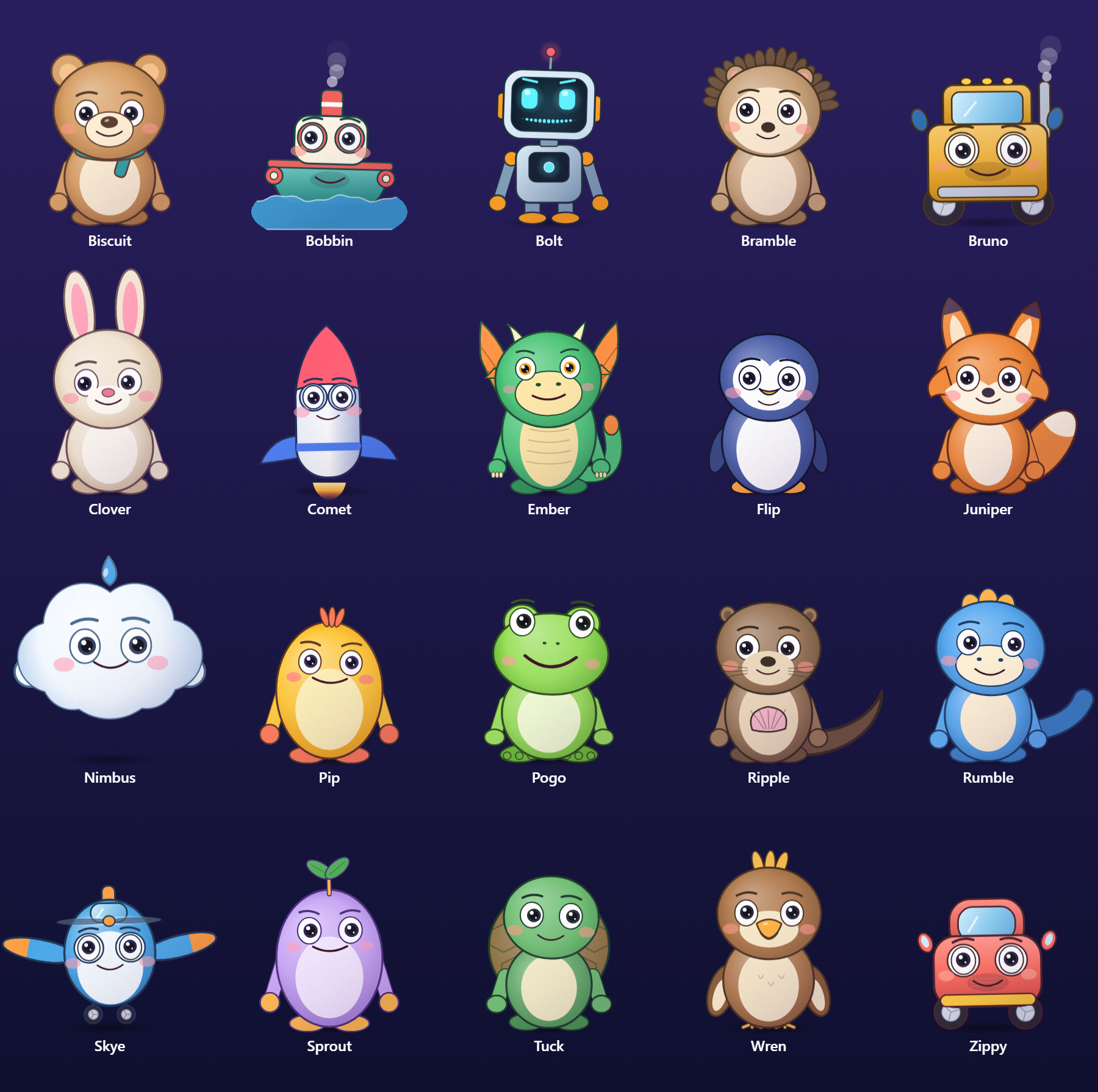
The most visible part of the project is the cast. Every character is drawn by a program, from curves and gradients, rather than painted or generated. There are two reasons.
First, speech. A drawn character can have a mouth that is driven by the words. The program knows when every word is spoken, turns letters into mouth shapes (A, E, I, O, U, M, F and so on), and blends them smoothly. The result is a character whose mouth really does say what the narrator says, and which can be re-timed instantly if the script changes.
Second, ownership. Because the characters are made from basic shapes, with no reference image, nothing is traced and nothing is borrowed. Each character has a written rights record: original work, nothing third-party, human review still to be done.
What makes a character appealing to children?
We searched for research, and were honest about how thin it was. Three ideas held up:
- The "baby schema." A large head, big round eyes set low in the face, a small nose and mouth and round cheeks make a face look cute, and a 2014 study with three- to six-year-olds found children's attention is drawn to exactly those features.
- Younger audiences, bigger heads and eyes. A Disney Research paper on designing characters for different ages found that characters for younger children have larger heads and larger, rounder eyes.
- Eyes carry the emotion, and children form real bonds with characters who respond to them.
So every character has a head more than half its height, large low-set eyes, a very small mouth, blushing cheeks and soft shapes with no points or fangs. (Our notes say plainly which of these are findings and which are our own design judgement; the full write-up is in docs/character-studio/design-research.md.)
Nine feelings, read from the words
A character that only talks is a puppet. A character that feels is a friend. Every character can show nine moods: happy, excited, shy, sleepy, surprised, curious, giggly, proud and gentle. Each one changes the eyelids, eyebrows, cheek colour, head tilt and arms, and blends smoothly into the next.

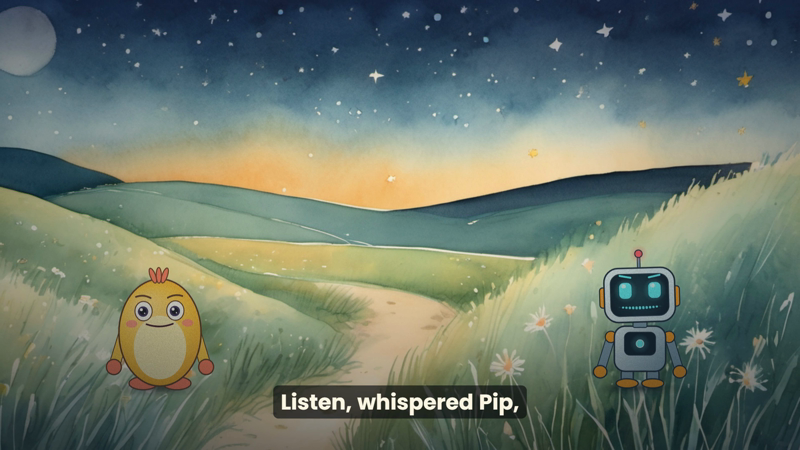
The clever part: moods are read from the narration. A sentence with "giggled" makes the character giggle; "whispered" or "tiptoed" makes it shy; "yawned" or "bedtime" sleepy; "plop!" surprised. There is no animator in the loop. In a test greeting, a frog called Pogo waves hello, talks, and visibly grows sleepy as the words "yawned" and "bedtime" arrive.
The finishing touches that make a cast look like one production
Two details lift characters from flat to professional:
- One light for everyone. Every character is drawn on its own layer, then lit from the top left with a soft shade at the bottom right and a fine felt-like grain. The same light on every character is much of what makes a cast look like a single production.
- Follow-through. Ears, tails, scarves, leaves and antennae lag behind the body and then swing past and settle, like real ones. Animators call it follow-through; here it is calculated from how the body moved a moment ago.
Animals, vehicles and a rocket, with our own twist
After the animals (a bunny, a bear, a bird, a fox, an otter, a dinosaur, a hedgehog, a penguin, a turtle and a frog) came the vehicles: Zippy the car, Bruno the truck, Skye the plane and Bobbin the boat, plus Comet the rocket and Nimbus the cloud.
Living vehicles are a beloved idea, and some famous versions are trademarked, so these follow a different layout: the face is on the front panel, hull or fuselage, with big lamp and porthole eyes and a mouth on the bumper or bow. The windscreen stays a window. The mirrors, wings and life rings do the waving, and the wheels spin faster as the vehicle talks.
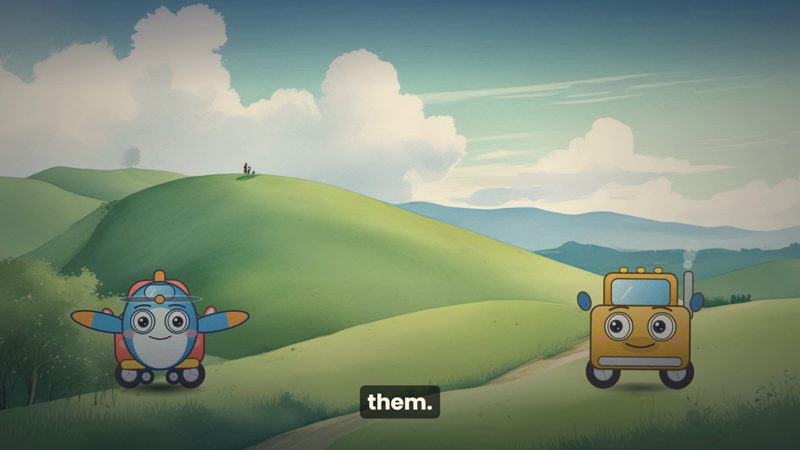
We designed these from animation craft, not from any particular film: a strong silhouette (a fox should read as a fox in solid black), appeal, personality driving the design, exaggeration and secondary action. The names still need a trademark search by a person before anything is published; we say so in every character's file.
Painting on a graphics card the size of a postage stamp
The pictures are the slowest and most demanding part. Stable Diffusion XL on a 4 GB card takes about 195 seconds per picture at full quality. A twelve-page story is about 40 minutes of painting, and the whole library runs overnight.
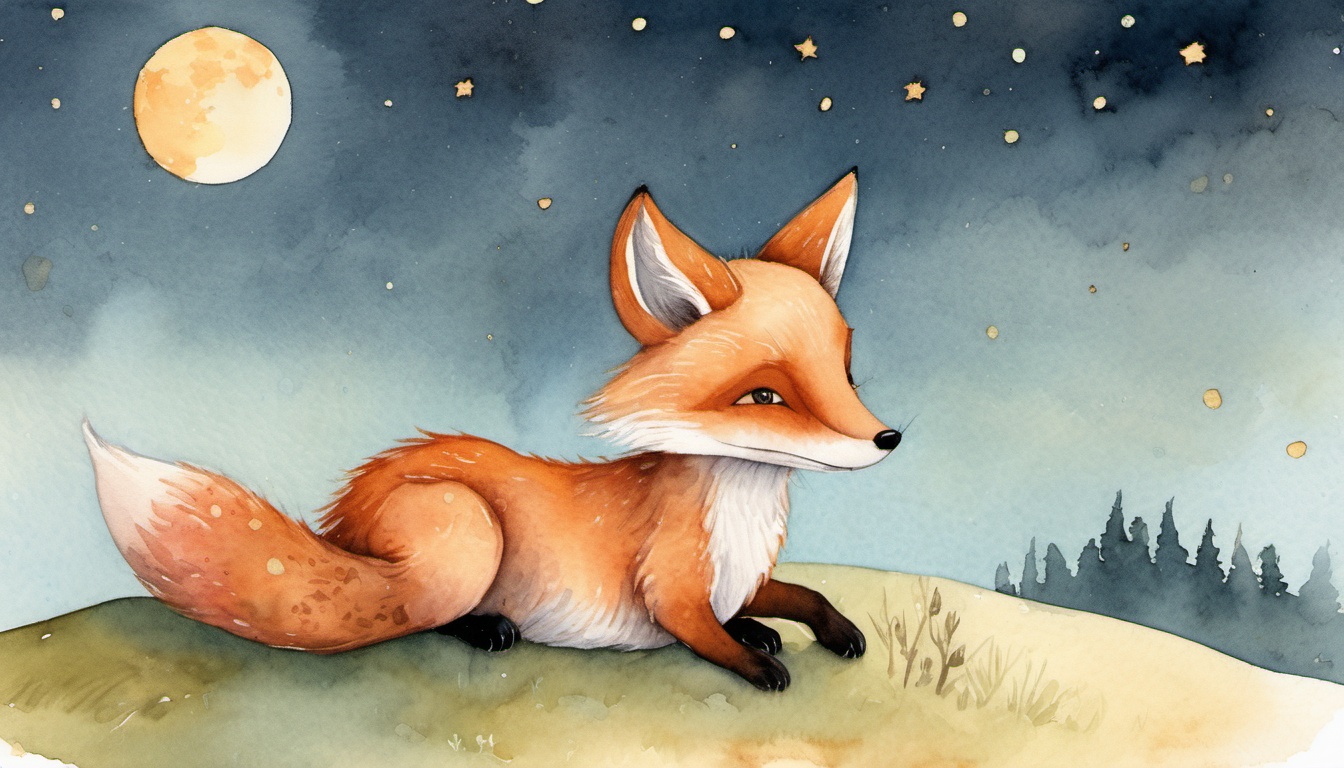
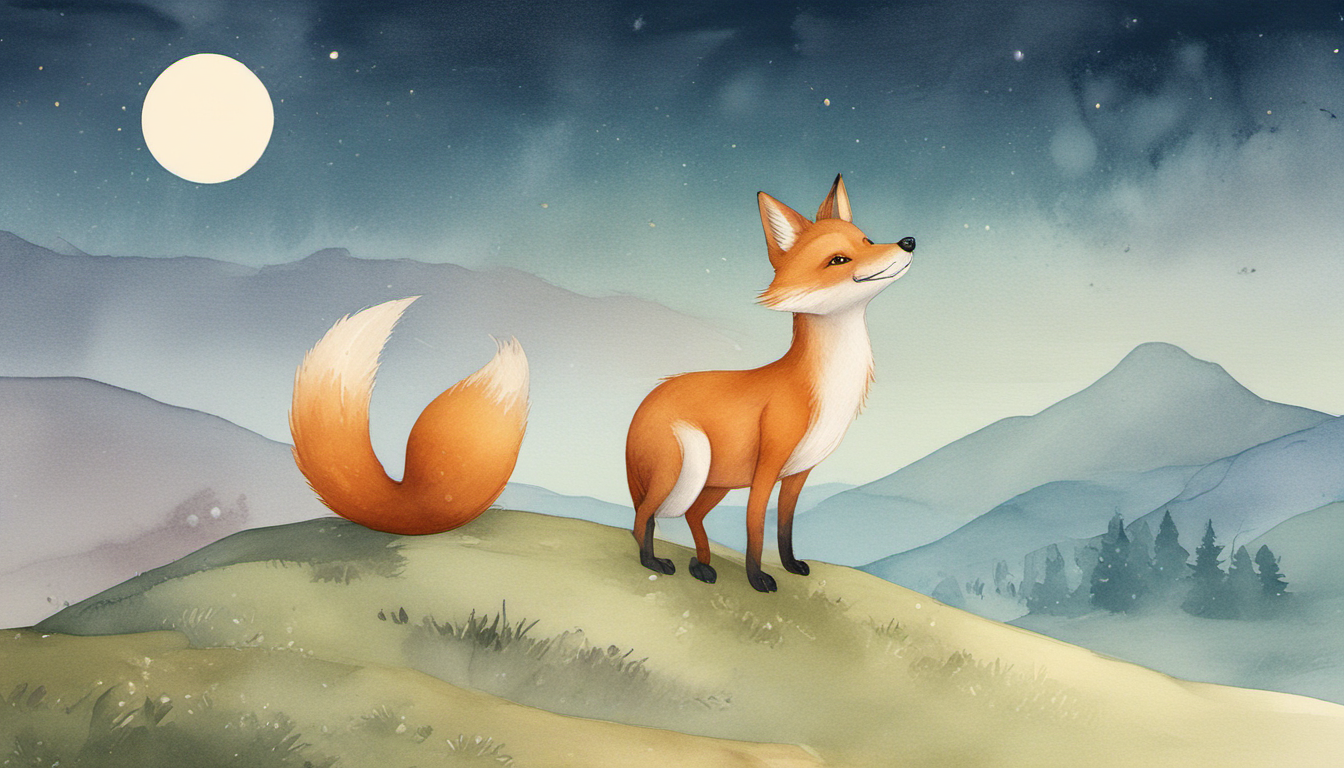
We measured both and built a compromise: mixed painting. The first page (which sets the look), the page about 70% through (where the story turns), the last page (the ending people remember) and any page marked as key are painted at full quality. The rest use the fast method. A twelve-page story drops from around 40 minutes to about 15.
Keeping a character the same on every page
AI painters give you a different animal every time. An IP-Adapter fixes that: you give it a reference picture and it keeps the same character in a new scene. We installed it and tested it: the same fox appears in a new setting. (It was slightly too strong in our first test: the reference picture's night sky leaked into a sunrise scene, so the strength needs lowering.)
"ComfyUI took too long"
Anyone who has run an overnight queue knows the feeling of waking up to a red "Failed" card. Ours read "Picture p12 could not be painted: SDXL background failed (ComfyUI took too long)." A painting job had stalled, the queue waited twenty minutes three times, and gave up.
The fix, now built in, is a small system of self-healing:
- A stalled picture is removed from the painter's queue so it cannot block the next.
- A dead or restarted painter is noticed within seconds, not twenty minutes.
- The queue can start ComfyUI again by itself from a saved launch recipe. We tested it for real: killed it and watched it return in 91 seconds.
- A picture that hits trouble is painted again, up to six times, without using up its normal retries, and a job that fails because of the painter is retried automatically, five minutes apart.
It even caught us out in the process of writing this: when we added new characters, a queue runner that had been started earlier did not know about the new hedgehog design and failed one story with "Unknown character". The cure was a restart, and a lesson that long-running processes should reload what they depend on.
Quality checks, because overnight needs trust
A tool that runs unattended has to check itself. Along the way the project grew automatic checks for:
- The story: length, reading level, repetition, kind words, and how alike it is to the others.
- Each picture: is it blank, black or smeared? Is the sharpness reasonable? Is the set of pictures varied? A bad one is repainted with a new seed.
- The captions: reading speed, no subtitle chunks ending on "the".
- The video: length, audio, and that each character's mouth actually moves with the speech.
- The code itself: more than a dozen automated test suites, which also caught problems when we upgraded the video encoder. A newer FFmpeg removed an option the Rhythm game used and started auto-rotating photos that our own code was also rotating, so tests flagged both immediately.
A rhythm game, because why not
Alongside the stories, the dashboard has a Rhythm Challenge tab. We added a fully playable game, Rhythm Rush, to go with it. It is a single file, no installation, that runs in any browser.
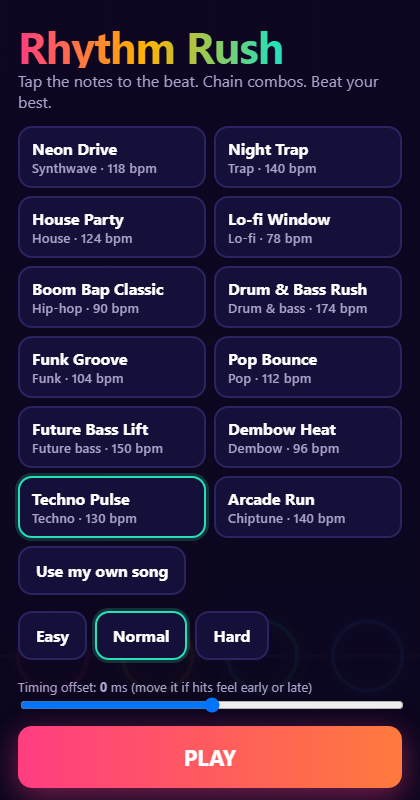
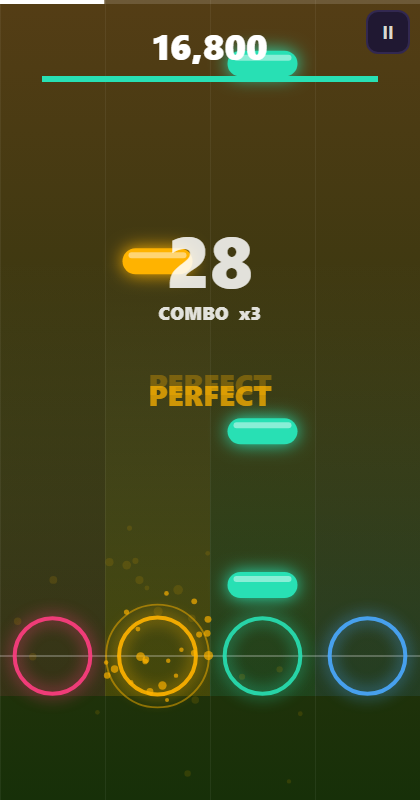
The notes are charted from the song itself: the game listens for beats in the bass, middle and treble, and turns them into notes, using a fixed rule so the same song always gives the same chart (a shared challenge is fair). You can play the twelve free beats or upload your own song, on Easy, Normal or Hard. It has Perfect, Great and Good timing windows, a combo multiplier up to x8 with a "fever" glow, grades from S down to D, a saved best score for each song, a timing-offset slider for phones with audio delay, and an instant "one more try".
When you finish, it makes a score card you can share, and a "Download this game" button creates one HTML file with your song inside that you can post anywhere. Our automated test plays an entire song with perfect timing in a real browser (grade S, three stars) and also plays the downloaded copy with no server at all.
An experiment that did not work, yet
We were curious whether the AI painter could make characters that look more professional than our drawn ones. A painted bunny came out far more beautiful than the code-drawn one:
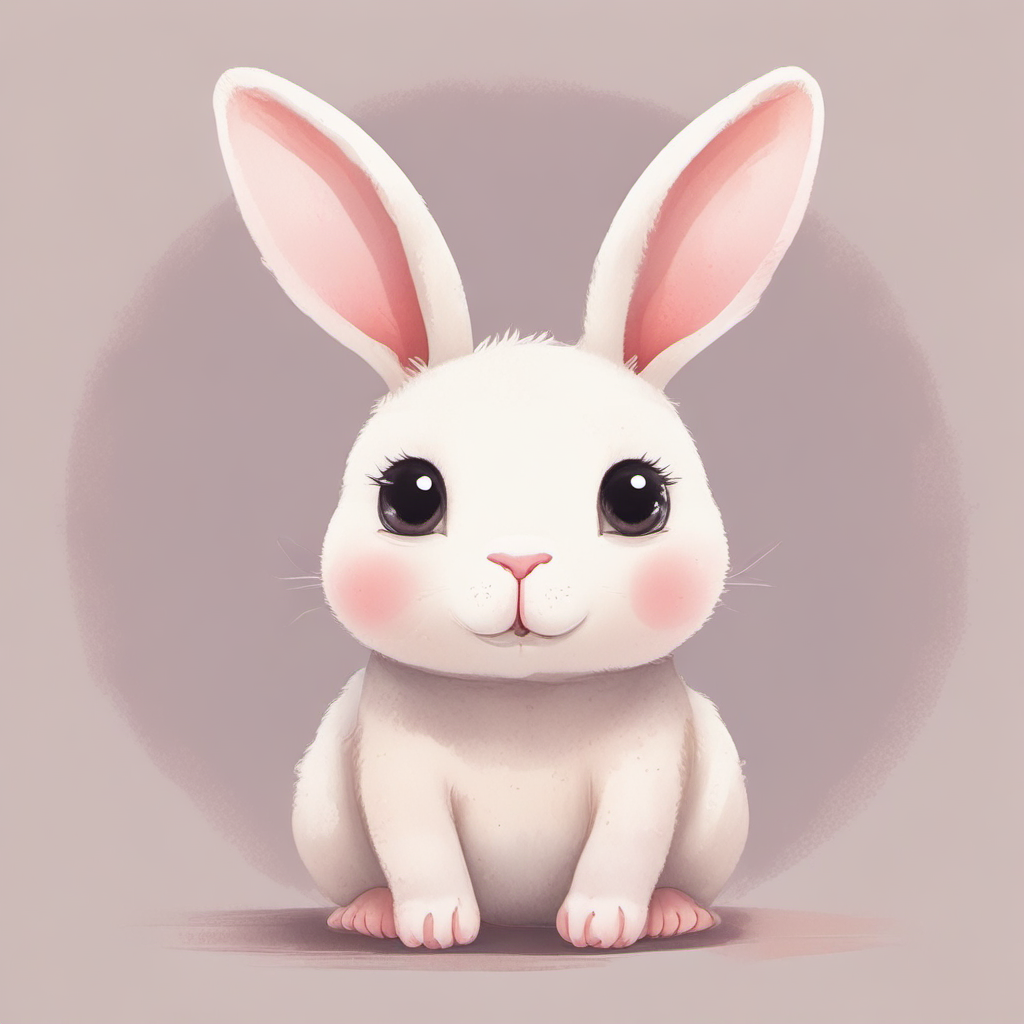
But the experiment hit three walls. The model ignores "plain white background", so cutting the character out cleanly is hard. Every picture is a different bunny unless held with a reference image. And a single painted picture cannot move its ears and mouth separately. The honest finding, recorded in the project notes: it needs a proper background-removal model (about 1 GB) and a way to overlay a talking mouth on the picture, and a person's eye on every result. So the cast stays drawn in code for now, and the painted route stays an open option rather than a promise.
Using it: the dashboard
Everything is driven from one browser dashboard: Intro Studio for videos, the Character Studio for talking-character greetings, the Rhythm Challenge tab, and Storybook for the stories.
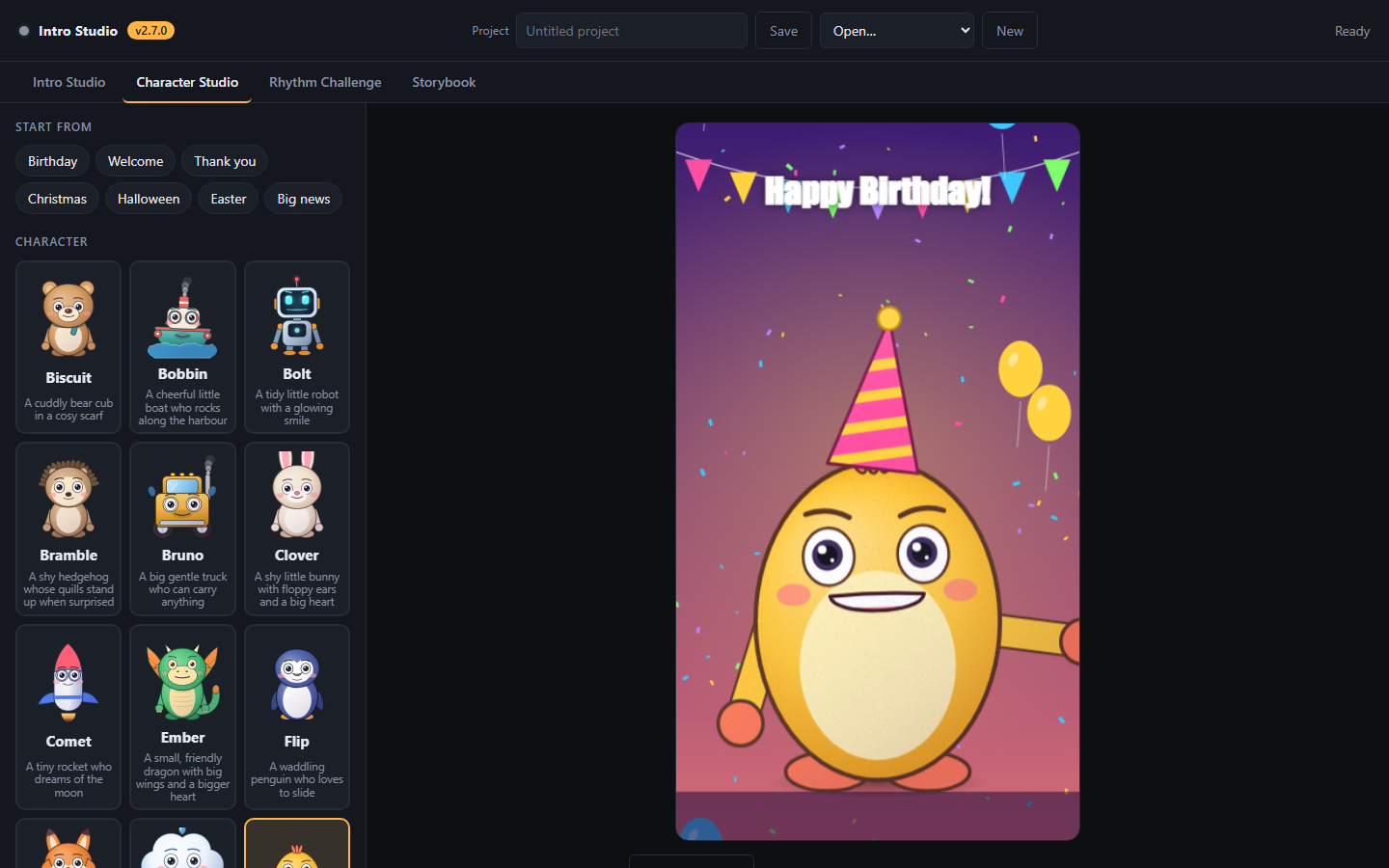
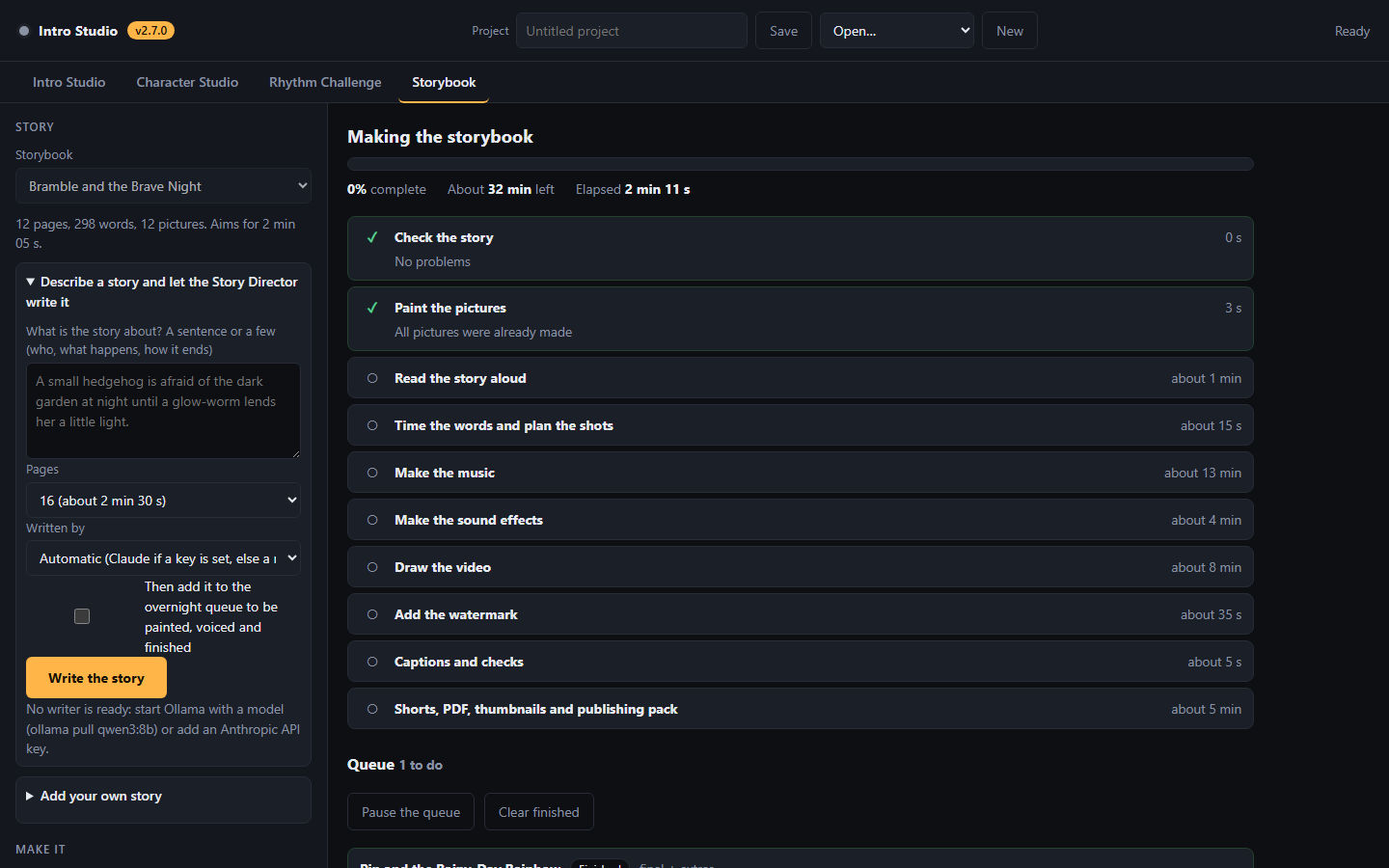
A one-click launcher starts the dashboard. A queue works through stories one after another. Each finished story can be played in the page, downloaded, or opened from its folder as an ordinary MP4.
What we learned
- Measure before you optimise. The ten-fold difference between the fast and full painting methods only became useful once we measured it on the real card and mixed them by page.
- Make long jobs self-healing. A queue that fails silently overnight is worse than a slow one. Stalls, restarts and missing parts should be expected and recovered from.
- Own your characters. Drawing them in code made speech, moods and rights simple. It cost us the painterly look, and we are open about that trade.
- Be honest about gaps. Research for this topic was thinner than hoped, the new characters have not been shown to children, and the names still await a human trademark search. We wrote all of that down rather than hiding it.
- Upgrade with tests. A newer FFmpeg broke three things; the tests found all three within minutes.
What is next
Hands that point and hold, a three-quarter turn and a walk cycle for the characters; hold notes and a daily challenge for the game; a character picker for the Story Director; a one-click publishing pack; and, if the painted route proves out, a single painted hero character standing among the drawn cast.
If you take one thing from this project, make it this: a single person with a modest computer can now build the full pipeline for illustrated, narrated, animated children's stories, with the machine doing the repetitive work and a human keeping the taste, the kindness and the final say.
Built with Node.js, a headless Chromium browser, FFmpeg, Stable Diffusion XL through ComfyUI, Kokoro text-to-speech, Whisper speech recognition and local music and sound models. All characters are original works drawn in code; their names are awaiting a human trademark search before publication.
Related articles
- Software & AI
Building a Private Investment Dashboard
A local-first desktop app that turns raw brokerage history into a clear dashboard, a UK tax estimate and an ISA allowance tracker - with nothing leaving the computer it runs on.
 Software & AI
YouFibre Monitor
Is my broadband dropping out, or is it my imagination? A small monitor that checks a YouFibre connection every ten seconds and records exactly when the internet goes down - free for anyone to use.
 Software & AI
Gnome: Building a Programming System Inspired by Genetics, Development and Evolution
What would software look like if it could grow and evolve? Gnome is a programming system inspired by genetics, development and evolution.