
Is my broadband dropping out, or is it just my imagination? I wanted a straight answer to that question, with proof. So I built a small monitor that checks my YouFibre connection every ten seconds, day and night, and records exactly when the internet goes down and when it comes back up. It costs less than a takeaway, and I've made it free for anyone to use.
Why I built it
Everyone has had it happen: a video call freezes, a download stalls, the smart speaker says it's "having trouble connecting". By the time you look, everything is working again. Was it the broadband? The Wi-Fi? The router? And if you contact your provider, the first thing they'll ask is when it happened and for how long.
Speed-test websites only tell you how things are at that moment. I wanted something that watches all the time, remembers every drop-out, and gives me a clear report I can look back on or send to my provider if I need to.
What it does
- Checks the internet every 10 seconds, 24/7, by trying to reach Cloudflare, Google and Quad9. If none of them answer for 30 seconds, it counts as an outage.
- Records exact times, e.g. "went down Tue 3 Sep 14:02:10, came back up 14:37:55, down for 35m 45s".
- Works out the likely cause. It pings my router during an outage: if the router answers but the internet doesn't, the fault is on the broadband side rather than in my house.
- Never loses a record. While the internet is down it saves outages in its own memory, even if it restarts, and uploads them as soon as the connection is back.
- Emails me a "DOWN?" warning when it goes quiet, and a "Back online" message with the exact times when it returns.
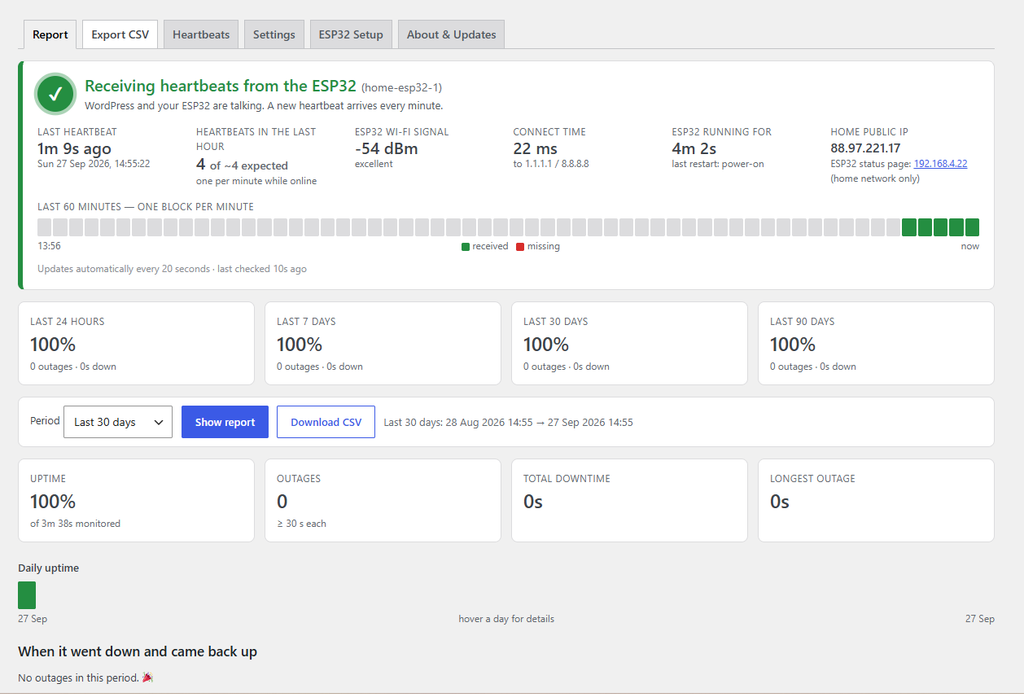
- Keeps an uptime report on this website: uptime percentage for the last day, week, month and three months, a colour-coded day-by-day chart, and a list of every outage that I can download as a spreadsheet.
How it works
There are two parts: a tiny computer at home, and a plugin on this website.
1. At home: an ESP32. An ESP32 is a thumb-sized circuit board with built-in Wi-Fi that costs about £5–£10. Mine is plugged into a USB phone charger next to the router. It runs a small program I wrote that does all the checking.
2. On the website: a WordPress plugin. Every minute the ESP32 sends a short "I'm still here" message (a heartbeat) to this site. After an outage, it also sends the exact down and up times it recorded. The plugin stores everything and builds the reports.
The clever part is that the two halves watch each other. When my internet is down, the ESP32 obviously can't reach the website. So it keeps its own record and sends it later. Meanwhile the website notices the heartbeats have stopped and emails me straight away. That even covers power cuts, when the ESP32 is off too.
 AT HOME                                  ON THE WEBSITE
 ESP32 on the Wi-Fi                       WordPress plugin
  - tests the internet every 10 s  ──▶    - stores heartbeats (every 60 s)
  - notes exact outage times       ──▶    - notices if they stop, emails me
  - saves them until back online          - builds the uptime report + CSV
What the report looks like
In the WordPress dashboard I have a Broadband Uptime page. At the top, a live panel says "Receiving heartbeats from the ESP32" with a green tick and how many seconds ago the last one arrived. A bar underneath shows the last 60 minutes, one block per minute: green if a heartbeat arrived, red if it didn't. It updates by itself, and a green ● Broadband: Online dot sits in the admin bar on every page.
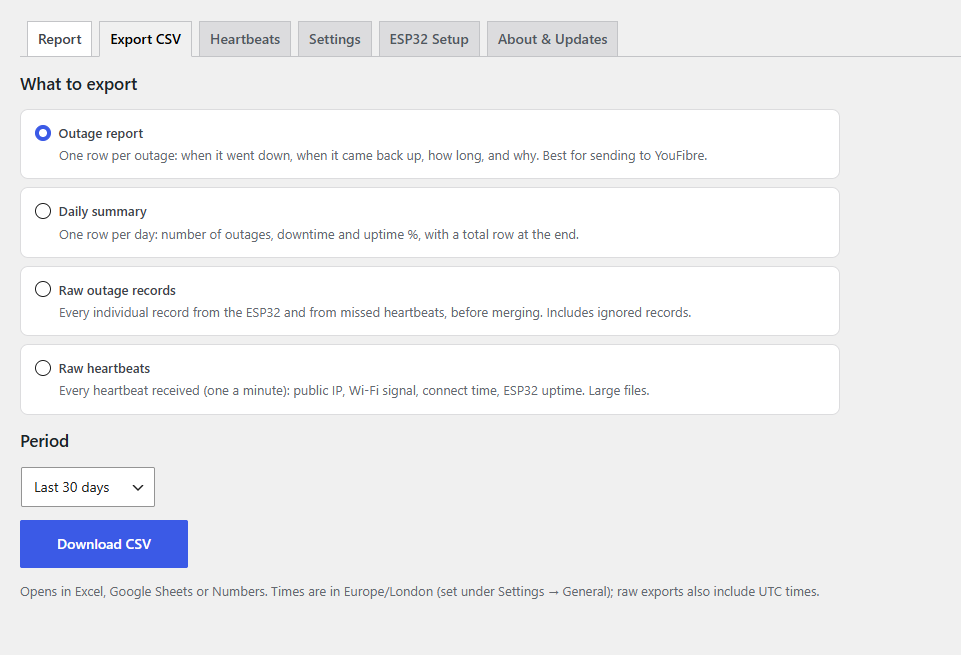
Below that is the part I really wanted: a plain table of when it went down, when it came back up, how long for, and why. The causes are labelled as "Internet down – router reachable", "No Wi-Fi" or "Monitor offline", which usually means a power cut. It can export that table, or a day-by-day summary, to a spreadsheet for any date range.
What you need to build your own
| Item | Cost |
|---|---|
| An ESP32 or ESP32-S3 development board | About £5–£10 |
| A USB data cable and a spare USB phone charger | You probably have these |
| A WordPress website hosted outside your home | You'll need one |
| The Arduino IDE, the ESP32 program and the WordPress plugin | Free |
Set-up takes about 30–45 minutes the first time:
- Install the plugin on your WordPress site. It gives you a secret token.
- Add an every-minute scheduled task in your hosting control panel (Plesk, cPanel, or a free service like cron-job.org), so the "DOWN?" emails go out promptly.
- Put your Wi-Fi details and the token into the ESP32 program and upload it using the free Arduino IDE.
- Plug the ESP32 into a charger near your router. Within a minute the report shows a green "Receiving heartbeats" message.
The full step-by-step guide covers every screen, including Plesk, along with troubleshooting and answers to common questions. It's all on GitHub.
Get the code and full guide on GitHub
Not just for YouFibre
I built it for my YouFibre connection, but nothing about it is tied to one provider. It works with any broadband: fibre, cable, 4G/5G home broadband or anything else. It's also free and open source under the MIT licence, so you're welcome to use it, change it and share it.
Privacy and updates
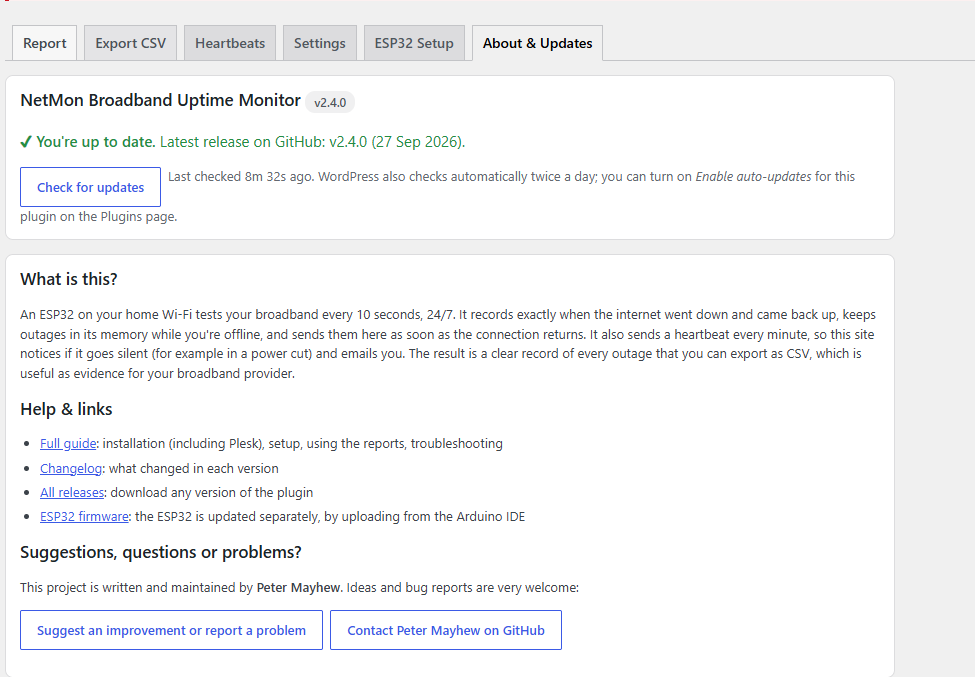
The monitor only talks to your own website. There's no third-party service, no tracking and no analytics. Your Wi-Fi password stays on the ESP32 and is never uploaded anywhere, including to GitHub. The WordPress plugin updates itself from GitHub with one click, so new features arrive easily.
Suggestions welcome
If you try it, I'd love to hear how you get on. If you have an idea for an improvement or run into a problem, please leave a suggestion on GitHub or get in touch with me, Peter Mayhew, via my GitHub profile.
Happy (and hopefully uninterrupted) browsing!
Recent Comments